FHN
FHN 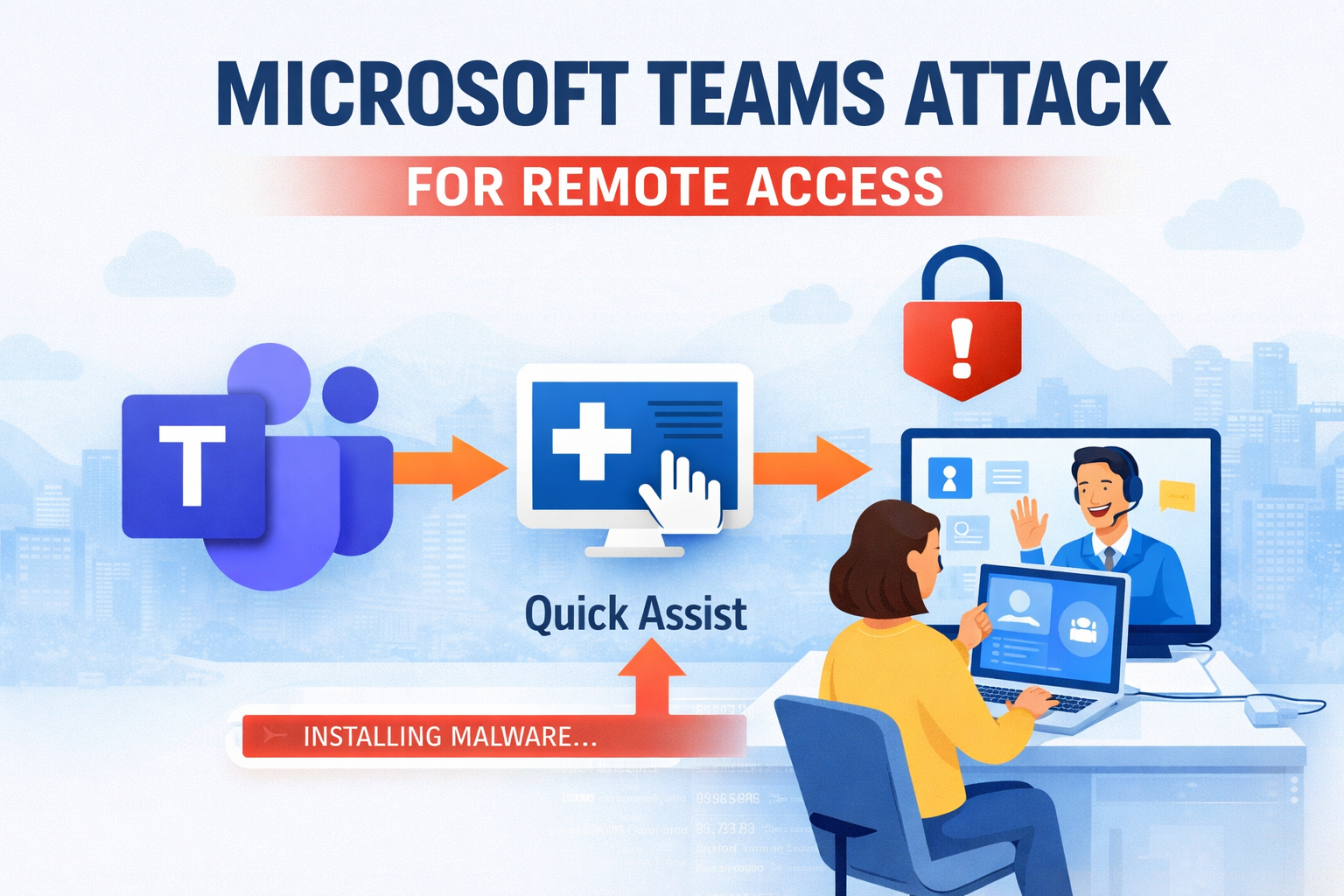
Cybersecurity researchers have uncovered Microsoft Teams attack campaigns are now targeting employees in finance and healthcare organizations by posing as internal IT support.
In this operation, attackers pretend to be internal IT support staff and convince victims to grant remote access to their computers. Once access is obtained, they deploy a stealthy malware tool called A0Backdoor to maintain long-term control of the system.
Researchers at BlueVoyant linked the activity to a threat group known as Blitz Brigantine, also tracked as Storm-1811.
How the Microsoft Teams Attack Begins
The campaign starts with a tactic designed to overwhelm the victim.
Attackers send a large number of spam emails to the target’s inbox in a short period of time. This “email bombing” creates confusion and pressure for the employee.
Soon after, the attacker contacts the victim through Microsoft Teams, pretending to be from the company’s IT help desk and offering to fix the email problem.
The victim is then guided to open Windows Quick Assist, a legitimate remote support tool built into Windows. Once the victim approves the request, the attacker gains full remote control of the device.
Malware Installation Process
After gaining access, the attackers begin installing malicious software on the system.
They download installer packages that appear to be legitimate updates for Microsoft Teams or Windows Phone Link. To make the files look trustworthy, the attackers:
• host the installers on Microsoft cloud storage accounts
• sign the files using digital certificates
• disguise them as normal software updates
When the installer runs, it places a real Microsoft application alongside a malicious file named hostfxr.dll.
When the legitimate program starts, it accidentally loads the malicious file instead. This technique is known as DLL sideloading, which allows malware to run quietly without raising suspicion.
Advanced Evasion Techniques
The malicious loader uses several tricks to avoid detection and analysis.
• checks system firmware for signs of virtual testing environments
• creates multiple junk processing threads to disrupt debugging tools
• uses time-based conditions to unlock the main payload
The malware only activates within a specific 55-hour time window, making it harder for researchers to analyze.
Another unusual trick involves an invisible space character hidden in a command line prompt. The malware requires this hidden character to generate the correct key needed to decrypt the final payload.
These techniques make the attack extremely difficult to study or reproduce.
A0Backdoor and Data Exfiltration
Once the protection checks are completed, the malware loads A0Backdoor directly into memory.
This backdoor allows attackers to collect information and maintain persistent access to the infected system.
The malware gathers details such as:
• system device information
• username and environment details
• network configuration data
This information helps attackers identify and manage compromised machines.
Using DNS Tunneling to Stay Hidden
To communicate with attacker servers without raising alarms, the malware uses a technique called DNS tunneling.
Instead of connecting directly to a suspicious command server, the malware sends requests through trusted public DNS resolvers such as 1.1.1.1 or 8.8.8.8.
These requests are disguised as normal mail exchange queries used in everyday email routing.
The attackers hide commands and stolen data inside long subdomains within the DNS requests. The public resolver forwards the request to the attacker’s server and sends the response back to the infected machine.
Because the traffic looks like regular network activity, it blends in with normal corporate operations.
The attackers also rely on older registered domains instead of new ones, helping them bypass security filters that often block recently created domains.
How Organizations Can Reduce Risk
Security experts warn that this campaign shows how attackers are shifting from traditional ransomware to more stealthy and targeted intrusion techniques.
Organizations should take several steps to reduce risk:
• train employees to verify IT support messages received through Microsoft Teams
• monitor and restrict remote access tools like Quick Assist
• block unapproved software installers from running on company systems
• watch for unusual DNS traffic patterns
Improving employee awareness and controlling remote access tools can significantly reduce the chances of these types of attacks succeeding.
Organizations should train employees to recognize signs of a Microsoft Teams attack to prevent remote access abuse.
Follow Us on:Linkedin, Instagram, Facebook to get the latest security news!
About the Author