
 FHN
FHN 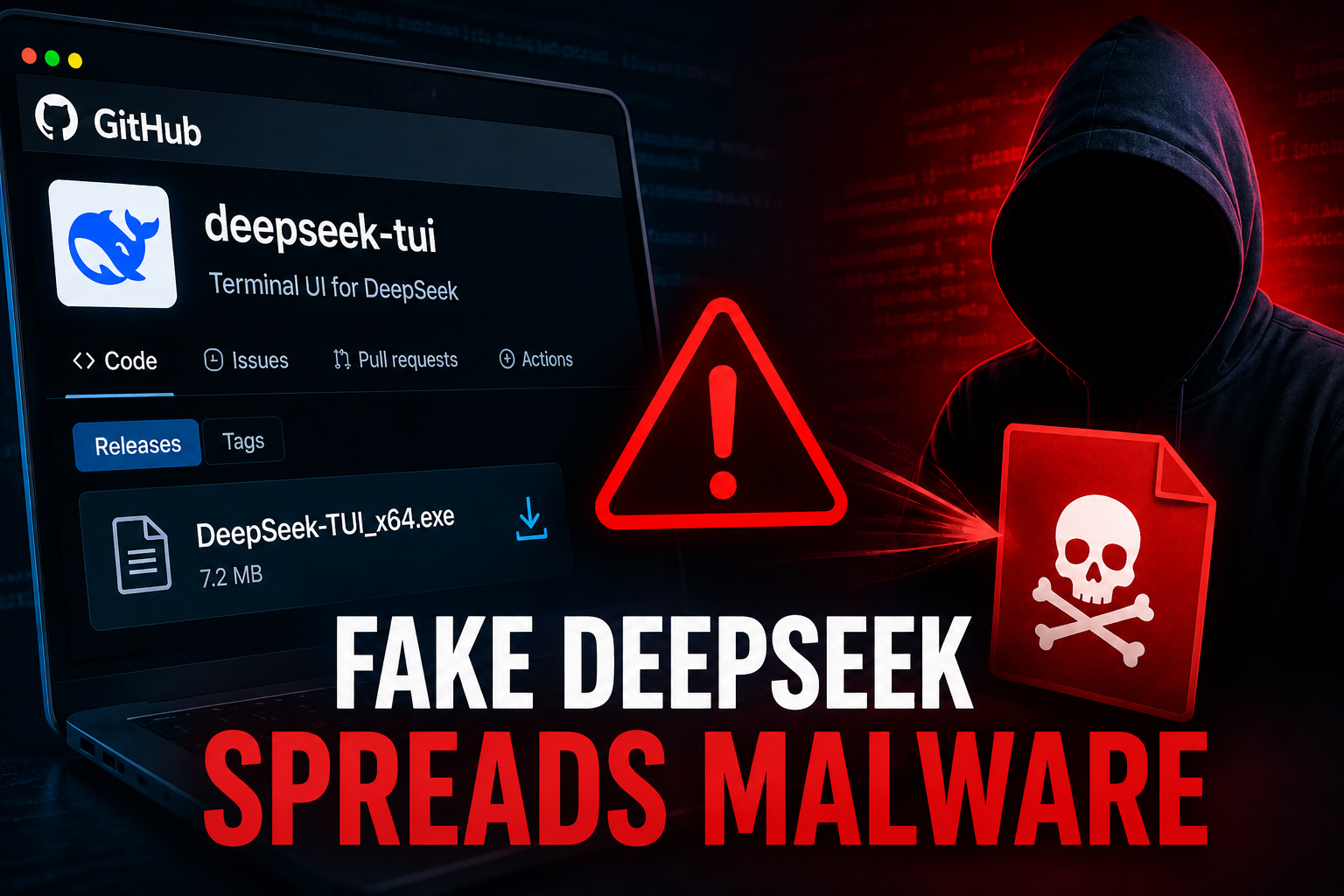
Hackers are again targeting developers and AI users by creating fake versions of popular tools on GitHub. This time, they are impersonating DeepSeek TUI, a real terminal-based tool that lets users interact with DeepSeek AI models from the command line. This rise in deceptive practices is a clear indication of the threat posed by Fake DeepSeek malware.
After the release of DeepSeek v4 and growing online attention, the tool quickly became a target for attackers. They took advantage of its popularity to trick users into downloading malicious files.
Users must remain vigilant against these threats, particularly the risks associated with downloading files that may contain Fake DeepSeek malware.
Fake GitHub Repositories Spreading Malware
Attackers created fake GitHub repositories that look very similar to the real project. These pages appear legitimate, making it hard for users to notice the difference.
Users who download files from these fake repos end up installing malware. In this case, the malicious file was hidden inside a 7z archive on the Releases page, just like a normal software download.
Researchers from QiAnXin Threat Intelligence Center discovered that this attack is linked to a previous campaign known as OpenClaw. Both attacks use similar techniques and infrastructure, suggesting the same threat actor is behind them.
The attackers also used fake installer names related to other AI tools like Claude, Grok, WormGPT, and FraudGPT to spread the malware further.
Malware Behavior and Persistence Techniques
The main malware file, named DeepSeek-TUI_x64.exe, first checks if it is running in a secure or virtual environment. If it detects analysis tools, it stops execution to avoid being detected.
If the system looks like a real user machine, the malware continues its attack. It disables key Windows Defender protections, modifies firewall settings, and connects to external servers to download more malicious components.
These components help the attacker stay in the system. Some create scheduled tasks, others add registry entries for persistence, and some run silently in memory to avoid detection.
The malware uses multiple techniques to remain active, making it difficult to remove once installed. It can survive reboots and continue running without the user noticing.
Indicators of Compromise (IoCs):-
| Type | Indicator | Description |
|---|---|---|
| MD5 | b96c0d609c1b7e74f8cb1442bf0b5418 | DeepSeek-TUI_x64.exe (first-stage dropper) |
| MD5 | 7de2896e373342e0f3b765c855bf7396 | bbg_free_x64.exe |
| MD5 | 78c11c45c00a9c22f537c59a472beca1 | CatGatekeeper_x64.exe |
| MD5 | df36a31148d2c6414bdafeab771ea728 | CatGatekeeper_x64.exe |
| MD5 | 14920c9751d20452a1006d20b8e73234 | CatGatekeeper_x64.exe |
| MD5 | f6d328422e7ca22e70a6aa71315450f3 | CatGatekeeper_x64.exe |
| MD5 | 86c7f2a3c307928daaca7c1df3ea5d72 | CatGatekeeper_x64.exe |
| MD5 | dbaa133fd3d1a834460206d83b480f80 | ClaudeDesign-Optimized_x64.exe |
| MD5 | 22c0c7d441fd22432cfe7854b59ba82b | ClaudeDesign-Optimized_x64.exe |
| MD5 | a224f44bdac16250d8093df68e05b512 | DeepSeek-TUI_x64.exe |
| MD5 | 6861fa47889e0340ab7efaab448c56b6 | DeepSeek-TUI_x64.exe |
| MD5 | 437e4bdb12d7fa8d1c9a9e9db84b8726 | DeepSeek-TUI_x64.exe |
| MD5 | fbfe7513685913e6f878647eec429d45 | deepseek-v4-pro_x64.exe |
| MD5 | 562d48524313d414b5a419fed6ca10aa | DV4-MCP-Setup.exe |
| MD5 | df8a2e7aa46af996bdf67d79601671c3 | fraudGPT_x64.exe |
| MD5 | f101a346502a324320f952d39e217064 | fraudGPT_x64.exe |
| MD5 | 5d14461718b74b86fdd68c6aee801dc4 | GLM5-Local_x64.exe |
| MD5 | 556b35236eeb111b0606d88a7aa3fd87 | gpt-image-2-desktop.exe |
| MD5 | ff371b43786cbb87dab325ce17cf8b7c | gpt-image-2-desktop.exe |
| MD5 | 1bd1df4f228ecd29a9b6fab48beaa366 | GrokCLI_x64.exe |
| MD5 | 975bd8eb56716adbcadb5216592a17c7 | Hermes-Agent_x64.exe |
| MD5 | 347980085c8926d5a1ff8e15a31fd812 | Hermes-Agent_x64.exe |
| MD5 | 46917d8326d77e4e3c39cb843dbfc675 | KawaiiGPT_x64.cpl.exe |
| MD5 | b6f77b48223f57c67f00ccd8ab3d047e | KawaiiGPT_x64.exe |
| MD5 | 8dde7a417130ae78a3f2aeed1f5b8f58 | Kimi-K2.6_x64.exe |
| MD5 | 4c7abc81b308fc874ec0de4f026db260 | Kimi-K2.6_x64.exe |
| MD5 | 48dd212fae0086822d4ae7696cc61693 | LTX-2.3_x64.exe |
| MD5 | faa5f780fb0e0786dd1a2bd19af290ca | opus-4-7_x64.exe |
| MD5 | 6721f30d84f58532d877f2b31bfc9162 | opus-4-7_x64.exe |
| MD5 | a9d492ab22400257f756f0308e06f04c | worldmonitor_x64.exe |
| MD5 | d0a92b090279894f4628bc3d627fbde0 | WormGPT_x64.exe |
| MD5 | 397405106d895815a9bef8d84445af5a | OneSync.exe (two-stage component) |
| MD5 | b7a76b82c2a5e16a3c346cc6aa145556 | WinHealhCare.exe (two-stage component) |
| MD5 | f01e96a80f92c414dd824aef5a1ac1e7 | onedrive_sync.exe (two-stage component) |
| MD5 | ecb3e753b60cc0f3d7de50fe7f133e49 | svc_service.exe (two-stage component) |
| MD5 | 68ba5a1bafae7db35e2eee7ea3f11882 | autodate.exe (two-stage component) |
| MD5 | e102797eb4225a93eaeeaa6b9979716a | vicloud.exe (two-stage component) |
| Domain | mikolirentryifosttry.info | C2 command and control server |
| Domain | zkevopenanu.cfd | C2 command and control server |
| URL | hxxps://pastebin.com/raw/w6BVFFWQ | Primary payload staging link |
| URL | hxxps://pastebin.com/raw/5tmHDYrf | Secondary payload staging link |
| URL | hxxps://pastebin.com/raw/M6KthA5Z | Payload decompression password storage |
| URL | hxxps://snippet.host/beuskq/raw | Backup payload staging link |
| URL | hxxps://snippet.host/uikosx/raw | Backup payload password storage |
| URL | hxxps://hkdk.events/djbk1i9hp0sqoh | Telegram relay endpoint |
About the Author


This is a critical reminder of how easily bad actors hide malware in standard archives like 7z on fake GitHub repos targeting tools like DeepSeek TUI. It really highlights why developers need to verify repository authenticity and signatures before downloading, rather than assuming the interface looks legitimate. Adding these specific IOCs to our internal blocklists immediately would be a crucial next step to protect teams from these deceptive updates.
This is a critical reminder that popularity alone isn’t enough to verify a repository’s safety, especially for developer tools like DeepSeek TUI. The fact that attackers are hiding malicious payloads in standard 7z archives on the Releases page shows how sophisticated these social engineering tactics have become. Developers really need to double-check repository owners and validate all downloads with checksums before running anything locally.
The OpenClaw link is the most telling part of this writeup – it shows the same operator keeps rotating across whichever AI name is trending, from DeepSeek to Claude, Grok, and FraudGPT. That kind of rebranding at scale only works because users skip basic verification steps like checking commit history, repo ownership, and checksums before downloading. These campaigns should be a reminder for anyone running local AI tooling, whether it is a CLI agent, an image-to-video workflow, or a model installer from GitHub Releases.
Verifying a download’s authenticity is becoming a real chore for users, especially when the project is being actively impersonated. In the OpenClaw case, taking a minute to check the publish date, commit history, and the presence of a signed release can save a lot of pain. Pairing that with a checksum comparison against the official site and, when available, PGP signature verification, makes the whole process far more reliable. Hashing the binary in question and matching it against the documented IoCs in this post is a practical first step before running anything.
Solid breakdown of the DeepSeek TUI impersonation campaign. The IoC list and persistence notes are particularly useful, and it underscores how easily an attacker can ride on the hype around a trending model. For anyone pulling binaries from GitHub, the lesson is straightforward: verify the publisher, cross-check the SHA-256 against an official release, and treat unverified installers as untrusted, regardless of how plausible the README looks.
The IoC breakdown here is genuinely useful, especially the persistence techniques tied to scheduled tasks and SSH keys — that pattern is easy to miss in a quick triage. Beyond hash matching, treating every cloned repo as untrusted until you have validated the release artifacts against the vendor published checksums or signatures remains the most reliable baseline. It is worth pushing that habit upstream too: alerting on typo-squatted repos and impersonator handles in monitoring feeds catches these campaigns earlier than post-download sandboxing ever will.
The IoC breakdown here is genuinely useful, especially the persistence chain via scheduled tasks and SSH keys — that pattern is easy to overlook in fast triage. Beyond hash matching, treating every cloned repo as untrusted until release artifacts are validated against vendor-published checksums or signed manifests remains the strongest baseline. Worth pushing that habit upstream too: typo-squatted handles and impersonator repos in monitoring feeds are usually caught earlier than post-download sandboxing ever will.
The IoC table here is a genuinely useful baseline, but the real defense has to happen upstream — verifying every cloned repo against vendor-published checksums and signed release manifests before any binary ever runs. Beyond hash matching, treating GitHub handles and impersonator repos as untrusted by default is what catches typo-squatted names long before sandboxing ever will. A practical habit worth keeping is pinning to a specific commit, confirming the publisher’s signing key, and avoiding curl-pipe-bash patterns regardless of how official the README looks.
The IoC catalog here is genuinely useful but the real defense lives upstream in the supply chain itself. Beyond matching hashes, validating cloned repos against vendor-published signing keys and pinned commit references would have caught most of these typo-squatted handles before any payload executes. I have been pushing the same checklist internally — verify release manifests, treat third-party installers as untrusted, and never rely on README aesthetics as a trust signal.
The OpenClaw activity mapped in this post is a textbook case of why terminal users should never trust a binary fetched directly from a GitHub release. Before running anything I always pull the SHA-256 from a second independent channel, verify it against a signed manifest, and re-check the GPG signature of the tag commit. Imposter repos like the one described here typically get a green CI badge and a few seeded stars to short-circuit that habit. Teams should also pin to a digest and add a release policy that requires maintainer confirmation on Discord or email before any install. The IoC list is useful, but the structural fix is treating every download as untrusted until it is signed and reproducible.
Validating the published package checksums against the original DeepSeek TUI release is a baseline check, yet the social engineering layer matters just as much. Attackers betting on a GitHub Pages landing page and a lookalike repo name will keep winning as long as users skip the green-tag signature verification and the maintainer audit trail. Pinning a known-good version, comparing SHA-256 hashes, and treating any unsigned download as hostile would blunt most of the OpenClaw-style chains described in this writeup.
Good walkthrough of the OpenClaw campaign. The pattern here mirrors what we keep seeing: a flashy repo, a green CI badge, and a release artifact that ships unsigned. We treat every GitHub-hosted binary as untrusted until we have matched the SHA-256 against a second channel, re-checked the GPG signature on the tag, and confirmed the commit history lines up with the maintainer’s public announcements. For teams shipping internal tooling, pinning to a digest and gating installs behind an allowlist is the only reliable control — the IoC list helps, but the structural fix is making the verification path boring and repeatable.
The OpenClaw rotation across DeepSeek, Claude, Grok, and FraudGPT branding is the clearest signal that attackers rely on users skipping basic verification. Before running any installer pulled from GitHub, it is worth pinning to a specific commit, validating the SHA-256 against a vendor-published checksum, and checking the release manifest for a signed artifact. Even for internal AI tooling, treating every typo-squatted repo as untrusted until ownership and signing keys are confirmed remains the strongest baseline defense.
The reuse of the OpenClaw infrastructure across DeepSeek, Claude, Grok, WormGPT, and FraudGPT lures is a clear sign that GitHub supply-chain trust collapses whenever a trending AI name surfaces. Hardening practices that actually work: pinning releases by SHA-256 together with a detached sigs file, gating any TUI binary on signed commits, and rejecting mirrors that lack CODEOWNERS or verified authorship before they reach internal installers. Worth folding that into the IoC playbook so defenders get the verification checklist, not just the hashes.The reuse of the OpenClaw infrastructure across DeepSeek, Claude, Grok, WormGPT, and FraudGPT lures is a clear sign that GitHub supply-chain trust collapses whenever a trending AI name surfaces. Hardening practices that actually work: pinning releases by SHA-256 together with a detached sigs file, gating any TUI binary on signed commits, and rejecting mirrors that lack CODEOWNERS or verified authorship before they reach internal installers. Worth folding that into the IoC playbook so defenders get the verification checklist, not just the hashes.
Verifying downloads before execution is critical, especially for trending tools like DeepSeek. I would recommend always cross-checking repository ownership, commit history, and matching published checksums against the actual binary. Beyond static hashes, maintainer signatures and reproducible builds remain the strongest defense against this kind of supply-chain impersonation campaign.
Verifying downloads before execution is non-negotiable for any terminal tool riding a hype wave like DeepSeek TUI. Beyond the published MD5 list, I always cross-check the repository commit history, maintainer signatures, and reproducible build status before pulling a binary from Releases. Signed tags, pinned SHA-256 manifests, and a CODEOWNERS gate would have caught several of the copycat repos described in the OpenClaw pattern, and treating every GitHub download as untrusted until the signature verifies is the only reliable mitigation.
The fake DeepSeek TUI repos described here highlight a wider hygiene problem: a polished README and a green CI badge are not provenance. Before running any release artifact I now treat the GitHub page as advertising only and cross-check the SHA-256 hash against the maintainer signed changelog or an out-of-band post. Where possible I rebuild from a pinned commit and verify the GPG signature locally, since the persisted payload droppers profiled here are designed to look identical to a legitimate first run. A short allowlist of mirror sources plus a deny-by-default policy on unknown publishers tends to stop this whole class before it lands on a workstation. Sharing the full IoC hash list with packagers and EDR vendors would also speed up blocking of the staged payloads.