FHN
FHN 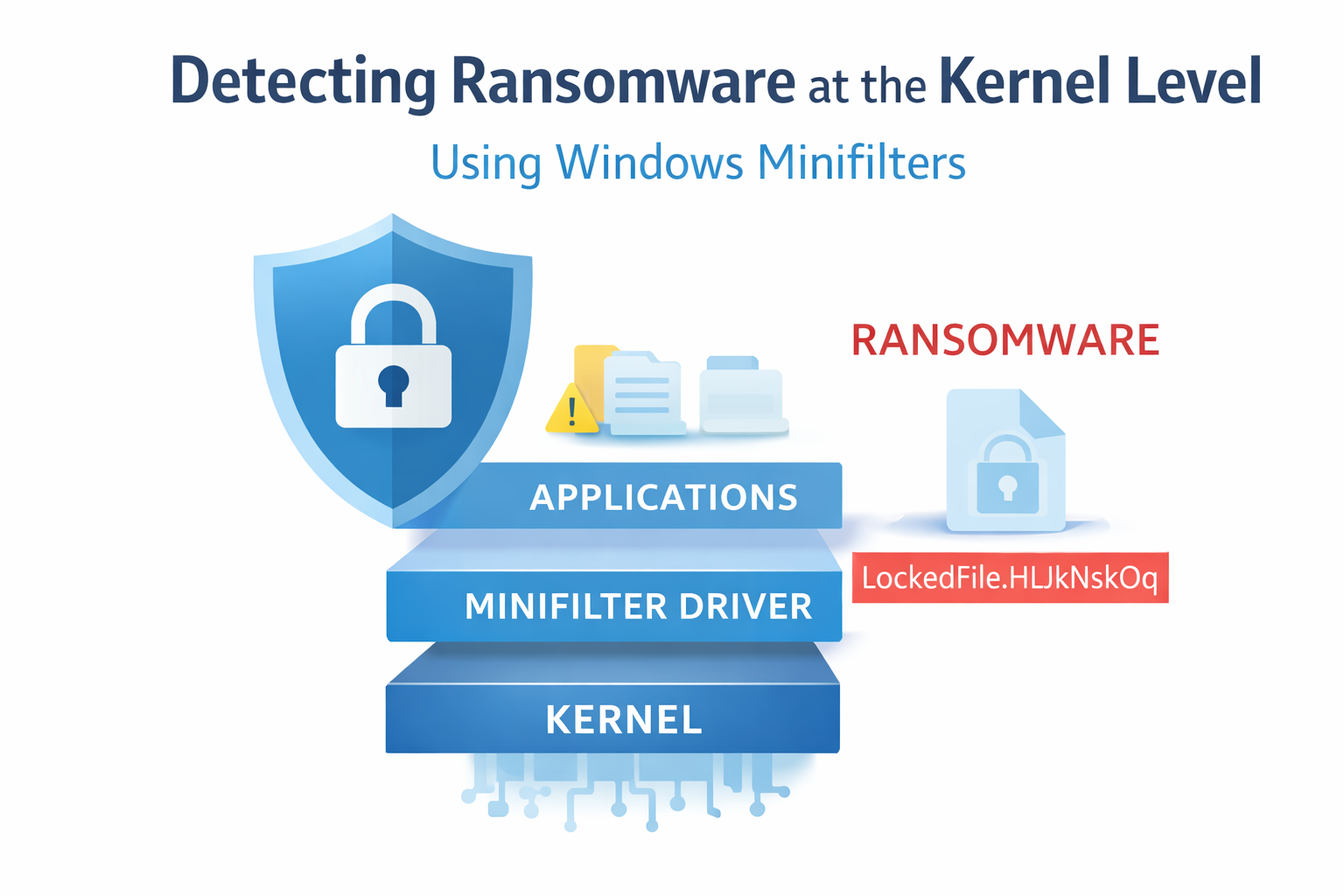
A security researcher has published a proof-of-concept tool on GitHub aimed at stopping ransomware from inside the operating system itself.
The project is part of a wider Endpoint Detection and Response effort called Sanctum. It shows how defenders can use Windows Minifilters to spot and interrupt malicious file encryption before user data is damaged.
How the Detection Method Works
At the center of this approach is a Windows feature known as a file system filter driver. This driver operates between user applications and the storage system, meaning every file operation — creating, modifying, or renaming files — passes through it.
Researcher 0xflux describes this layer as a control point. Because all file activity flows through it, the system can monitor behavior in real time and step in when something suspicious happens.
Although the developer initially planned to build the driver in Rust, the lack of proper filter driver support led to the project being written in C instead.
What Signals Indicate Ransomware
The Sanctum driver registers system callbacks so it gets notified when certain file actions occur. The proof-of-concept focuses on two important Windows file events.
One event tracks when programs request access to files with write or delete permissions. A process rapidly opening many files with these permissions can signal the start of mass encryption.
The second event is more central to this PoC. It triggers when file information changes, such as when a file is renamed. Ransomware often renames files after encryption, adding a new extension to mark them as locked.
In this demo, the driver watches for a specific extension tied to a known LockBit variant.
How the System Identifies the Attacker
When a rename event occurs, the driver uses Windows APIs to read the full file name and compare the new extension with known ransomware patterns.
If a match appears, the system does more than log the event. It also determines which process made the change. Using internal functions, it retrieves the process ID and the program name responsible. This gives defenders precise visibility into which application is behaving maliciously.
Right now, the tool mainly records suspicious activity, acting as a detailed monitoring system. However, future versions could go further.
The researcher suggests adding real-time entropy analysis to detect encryption as it happens. Another potential feature is freezing or terminating the threads of a malicious process immediately after detection.
This project shows how moving defenses deeper into the Windows kernel can provide faster response and greater visibility than traditional antivirus solutions that operate at higher system levels.
About the Author